前言
- 有时候域名在微信上 访问会红,会有各种异常提示,通过nginx禁止域名在微信上被访问,给出友好提示。
- 如果红了的域名,加上后过段时间就会恢复,并且正常显示配置的页面。
- 虽然不能直接在微信 访问,但是总比在微信上报异常链接友好。
一、使用步骤
1.关键代码
检测是否微信、企鹅中访问,如果是$is_blocked_agent返回1
map $http_user_agent $is_blocked_agent {
        default                 0;
        "~*micromessenger"      1;
        "~*QQTheme"             1;
}
# 检查变量
if ($is_blocked_agent = 1) {
    rewrite ^ /error_blocked_agent.html last;
}

# 定义错误页面位置
location = /error_blocked_agent.html {
    internal; # 防止外部直接访问
    root /usr/local/nginx/html/; # 指定网页文件的根目录
    try_files $uri  error_blocked_agent.html last;
}
页面路径:/usr/local/nginx/html/error_blocked_agent.html
请使用浏览器打开
.weui_tips_img{
position: absolute;
top: 8px;
right: 6%;
}
.weui_tips_img img{
width: 100%;
height: 135px;
}
.weui_tips_area{
padding: 25px;
width: 90%;
margin: 10px auto;
background-color: #fff;
border-radius: 8px;
box-sizing: border-box;
box-shadow: 0 2px 8px 0 rgba(0, 0, 0, .1);
text-align: left;
}
ul{
list-style-type: none;
}
li{
color: #6F7884;
display: flex;
align-items: center;
margin: 5px auto;
}
li img{
margin-left: 8px;
height: 25px;
}
li span{
color: #07c160;
font-weight: bold;
}
.weui_text_area{
position: absolute;
bottom: 8% !important;
padding: 0!important;
width: 100%;
}
.weui_text_area span {
color: #fff;
border-radius: 5px;
padding: 10px 22%;
border: none;
background: #07c160;
cursor: pointer;
}

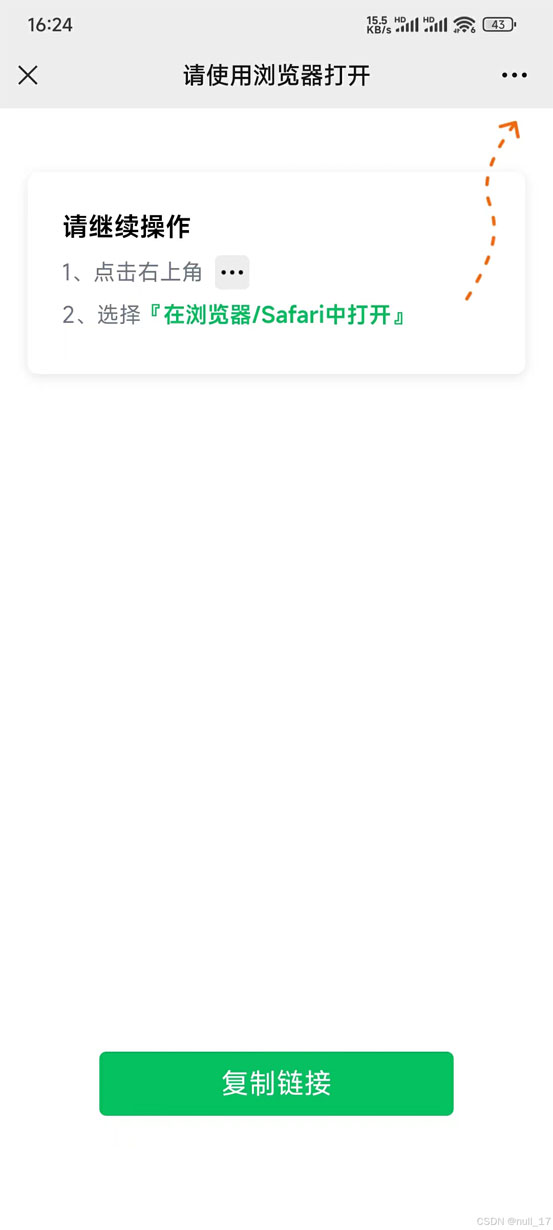
请继续操作
- 1、点击右上角

- 2、选择『在浏览器/Safari中打开』
复制链接
function copyToClipboard() {
var textToCopy = window.location.protocol + "//" + window.location.hostname;
// https域名访问下有效
if (navigator.clipboard && navigator.clipboard.writeText) {
navigator.clipboard.writeText(textToCopy)
.then(function() {
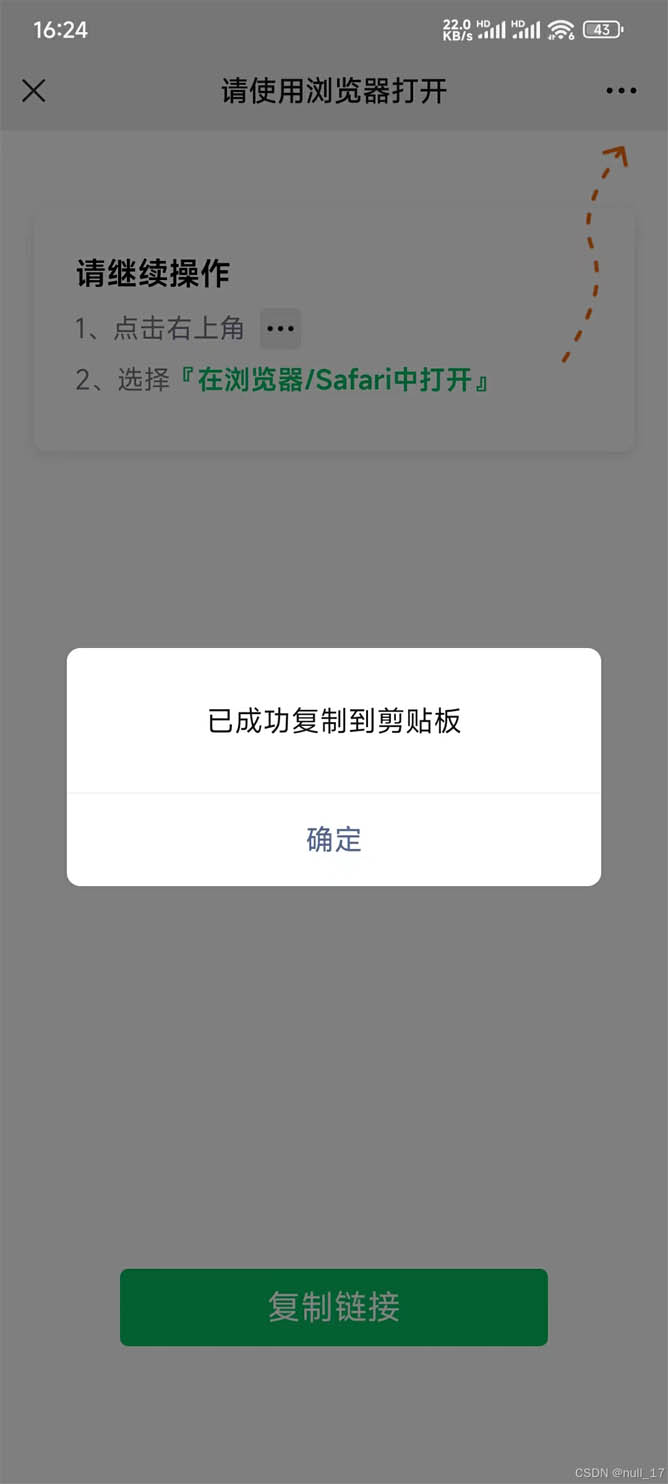
alert('已成功复制到剪贴板');
})
.catch(function(err) {
console.error('无法执行复制操作(Clipboard API)', err);
fallbackCopy();
});
} else {
// 使用旧的execCommand方法作为备选
fallbackCopy();
}
// http时候有效
function fallbackCopy() {
var textArea = document.getElementById("textToCopy");
textArea.style.display = 'block';
textArea.value = textToCopy;
textArea.focus();
textArea.select();
try {
var successful = document.execCommand('copy');
textArea.style.display = 'none';
var msg = successful ? '已成功复制到剪贴板' : '无法执行复制操作';
alert(msg);
} catch (err) {
textArea.style.display = 'none';
console.error('无法执行复制操作(execCommand)', err);
alert('无法执行复制操作');
}
}
}
2.使用方法
- 全局使用:将检测UserAgent代码放在http块,在每server块中都可以使用$is_blocked_agent变量
# *** 其它配置
events {
    # *** 其它配置
}
http {
	# *** 其它配置

	#检测User Agent
	map $http_user_agent $is_blocked_agent {
	        default                 0;
	        "~*micromessenger"      1;
	        "~*QQTheme"             1;
	}

 server {
 	# ***其它配置

	# 检查变量
	if ($is_blocked_agent = 1) {
	    rewrite ^ /error_blocked_agent.html last;
	}

	# 定义错误页面位置
	location = /error_blocked_agent.html {
	    internal; # 防止外部直接访问
	    root /usr/local/nginx/html/; # 指定网页文件的根目录
	    try_files $uri  error_blocked_agent.html last;
	}
 }
}
- 局部使用:将检测UserAgent放在server 块,其它server块无法使用变量$is_blocked_agent
# *** 其它配置
events {
    # *** 其它配置
}
http {
	# *** 其它配置
 server {
 	# ***其它配置

	#检测User Agent
	map $http_user_agent $is_blocked_agent {
	        default                 0;
	        "~*micromessenger"      1;
	        "~*QQTheme"             1;
	}

	# 检查变量
	if ($is_blocked_agent = 1) {
	    rewrite ^ /error_blocked_agent.html last;
	}

	# 定义错误页面位置
	location = /error_blocked_agent.html {
	    internal; # 防止外部直接访问
	    root /usr/local/nginx/html/; # 指定网页文件的根目录
	    try_files $uri  error_blocked_agent.html last;
	}
 }
}
二、效果
三、总结
优点
- 对业务零入侵。
- 域名下的所有路径都会被强制禁止在目标UserAgent访问。
缺点
- 需要在nginx额外加配置代码。
到此这篇关于Nginx禁止部分UserAgent访问的问题解决的文章就介绍到这了,更多相关Nginx禁止UserAgent内容请搜索IT俱乐部以前的文章或继续浏览下面的相关文章希望大家以后多多支持IT俱乐部!

