前言
Nginx默认是不允许列出整个目录浏览下载。
如果只是单纯的往html文件中添加压缩文件,网页就会报错,那该怎么才能达到一堆压缩文件都显示在网页呢
一、访问站点配置
先上配置再解释
	location /mylog {
		  autoindex on;
          charset utf-8;
		  autoindex_exact_size off;
		  autoindex_localtime off;
		  auth_basic "Auth access Blog Input your Passwd!";
	      auth_basic_user_file /usr/local/mdtassistant/nginx/users;
          alias /usr/local/mdtassistant/version;
       }
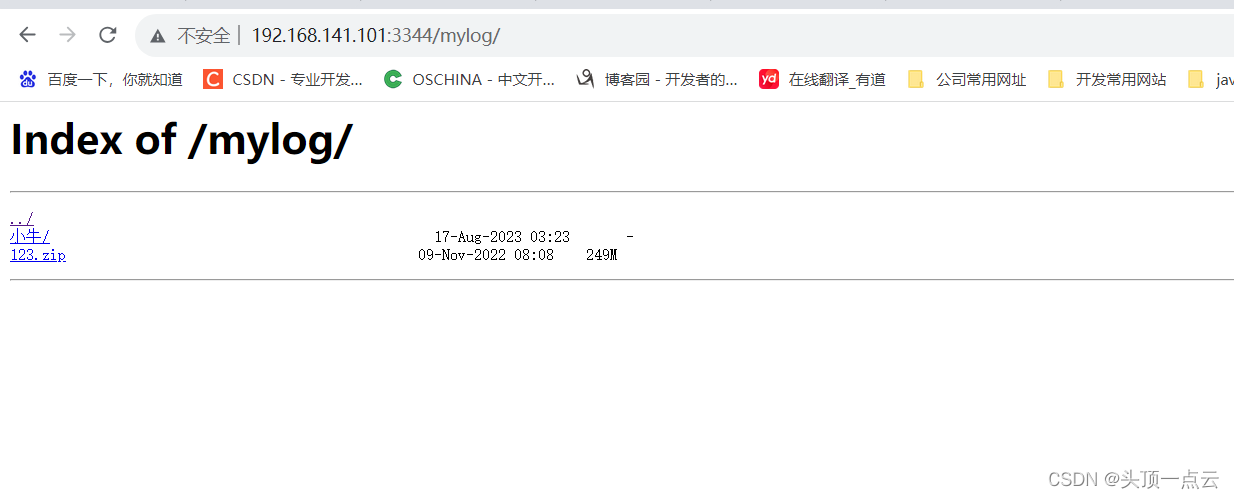
- 效果
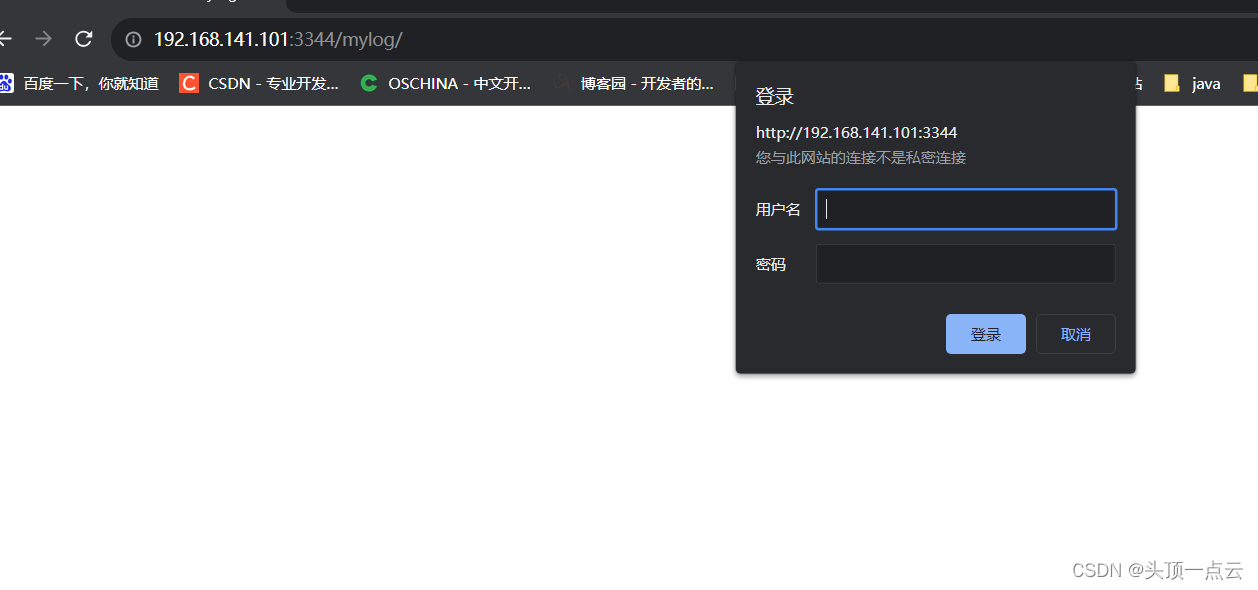
- 带密码效果
解释如下
- autoindex on; 模块显示文件
- charset utf-8; 文件编码
- autoindex_exact_size off | on 默认为on, 显示出⽂件的确切⼤⼩,单位是bytes; 修改为off,显示出⽂件的⼤概⼤⼩,单位是kB或者MB或者GB
- autoindex_localtime on | off 默认为off,显示的⽂件时间为GMT时间;修改为on, 显示的⽂件时间为⽂件的服务器时间(这个是文件上传的时间)
那 这两个干嘛的
auth_basic “Auth access Blog Input your Passwd!”;
auth_basic_user_file /usr/local/mdtassistant/nginx/users;
访问时输入密码的
二、添加登录权限功能
1.密码生成
使用htpasswd工具生成密码。
如果没有htpasswd工具,可以先进行安装,安装命令:
yum -y install htpasswd
如果这个安装不了就装下面这个
yum install httpd-tools
密码生成命令格式:htpasswd -c 存放用户名密码的文件路径 用户名
htpasswd -c /usr/local/nginx/passwd/users lc

提示输入密码,输入两次

然后会生成一个加密串,这样就好了

2.配置nignx
   auth_basic "Auth access Blog Input your Passwd!";
   auth_basic_user_file /usr/local/mdtassistant/nginx/users;
auth_basic_user_file 密码文件存放位置
三、路径加 / 如何区分
- 如果proxy_pass末尾有斜杠/,proxy_pass不拼接location的路径
- 如果proxy_pass末尾无斜杠/,proxy_pass会拼接location的路径
1.proxy_pass末尾有斜杠
location  /api/ {
    proxy_pass http://127.0.0.1:8000/;
}
- 请求地址:http://localhost/api/test
- 转发地址:http://127.0.0.1:8000/test
2.proxy_pass末尾无斜杠
location  /api/ {
    proxy_pass http://127.0.0.1:8000;
}
- 请求地址:http://localhost/api/test
- 转发地址:http://127.0.0.1:8000/api/test
3.proxy_pass包含路径,且末尾有斜杠
location  /api/ {
    proxy_pass http://127.0.0.1:8000/user/;
}
- 请求地址:http://localhost/api/test
- 转发地址:http://127.0.0.1:8000/user/test
4.proxy_pass包含路径,末尾无斜杠
location  /api/ {
    proxy_pass http://127.0.0.1:8000/user;
}
- 请求地址:http://localhost/api/test
- 转发地址:http://127.0.0.1:8000/usertest
四、文件路径 alias与root区别
- root的处理结果是:root路径+location路径
- alias的处理结果是:使用alias路径替换location路径
总结
以上为个人经验,希望能给大家一个参考,也希望大家多多支持IT俱乐部。