WPF(Windows Presentation Foundation)是微软推出的基于Windows 的用户界面框架,属于.NET Framework 3.0的一部分。它提供了统一的编程模型、语言和框架,真正做到了分离界面设计人员与开发人员的工作;同时它提供了全新的多媒体交互用户图形界面。
还是话不多说,直接上码:
1.新建WpfApp应用程序
2.MainWindow.xaml文件代码如下:
3.MainWindow.xaml.cs文件代码如下:
using System;
using System.Collections.Generic;
using System.Globalization;
using System.Linq;
using System.Text;
using System.Windows;
using System.Windows.Controls;
using System.Windows.Data;
using System.Windows.Documents;
using System.Windows.Input;
using System.Windows.Media;
using System.Windows.Media.Imaging;
using System.Windows.Navigation;
using System.Windows.Shapes;
using System.Drawing;
using System.Drawing.Drawing2D;

namespace WpfApp1
{
    ///
    /// Interaction logic for MainWindow.xaml
    ///
    public partial class MainWindow : Window
    {
        public MainWindow()
        {
            InitializeComponent();
        }
        public void Button_Click(object sender, RoutedEventArgs e)
            WriteableBitmap wb = new WriteableBitmap((int)imgGrid.ActualWidth, (int)imgGrid.ActualHeight, 96, 96, PixelFormats.Pbgra32, null);
            wb.Lock();
            Bitmap backBitmap = new Bitmap((int)imgGrid.ActualWidth, (int)imgGrid.ActualHeight, wb.BackBufferStride, System.Drawing.Imaging.PixelFormat.Format32bppArgb, wb.BackBuffer);
            Int32Rect rect = new Int32Rect(0, 0, (int)imgGrid.ActualWidth, (int)imgGrid.ActualHeight);
            byte[] pixels = new byte[(int)imgGrid.ActualWidth * (int)imgGrid.ActualHeight * wb.Format.BitsPerPixel / 8];
            Random rand = new Random();
            for (int y = 0; y
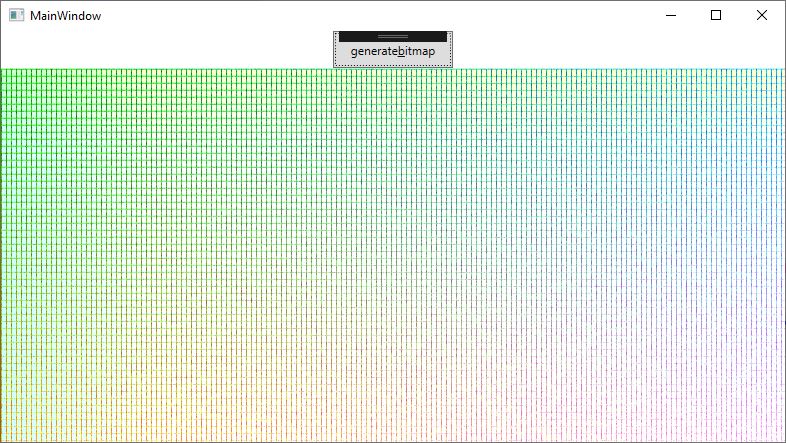
效果如下:
到此这篇关于C#中WPF WriteableBitmap类直接操作像素点的文章就介绍到这了,更多相关WPF WriteableBitmap类内容请搜索IT俱乐部以前的文章或继续浏览下面的相关文章希望大家以后多多支持IT俱乐部!

