使用react-sortable-hoc实现拖拽
如图:
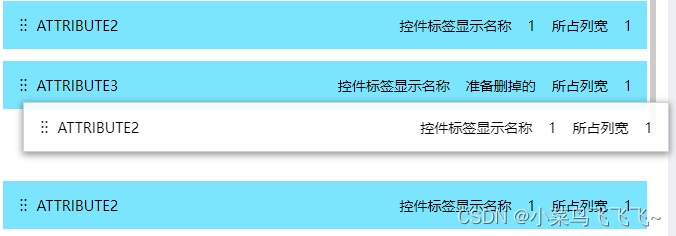
提示:下面案例可供参考
1.文件1
代码如下(示例):文件名称:./dragcomponents
import * as React from 'react'
import {
    sortableContainer,
    sortableElement,
    sortableHandle,
} from "react-sortable-hoc"; // 拖拽的关键组件

const Sortable: React.FC = (props) => {
    const { dataSource = [], ComSortItem, sortEnd } = props;
    // 拖拽时原列表替换
    function arrayMoveMutable(array, fromIndex, toIndex) {
        const startIndex = fromIndex = 0 && startIndex  {
        return {children};
    });

    // 拖拽ico
    const DragHandle = sortableHandle((value1, sortIndex1) => (


    ));
    function handleDelete(index) {
        const List = [...dataSource];
        List.splice(index, 1)
        sortEnd(List);
    }
    // 数据更新
    function updateData(val, index) {
        const List = [...dataSource];

        List[index] = val;
        sortEnd(List);
    }
    // 拖拽体
    const SortableItem = sortableElement(({ value, sortIndex }) => {
        return (
            //
            //
            //

        );
    });

    // 拖拽后回调
    const onSortEnd = ({ oldIndex, newIndex }) => {
        const List = arrayMoveImmutable(dataSource, oldIndex, newIndex);
        sortEnd(List);
    };
    return (


                {dataSource.length > 0 &&
                    dataSource.map((value, index) => (

                    ))}
            >
    );
}

export default Sortable;
2.文件2
代码如下(示例):文件名称’./usedrag’
import * as React from 'react'
import { Checkbox } from 'antd'

import Sortable from './dragcomponents'
import './index.scss'
const _ = require('lodash')
import store from './store'
import { SAVE_RENDER_ALL_DATA } from './actionType'
const Usedrag: React.FC = (props) => {
    const { state, dispatch } = React.useContext(store);
    // 自定义拖拽体
    const {upDateRenderData} = props
    const showdata ={...props.renderData}
    function AddForm(showdata) {
        return (


{showdata.data.valuedata.fieldName}

                    控件标签显示名称{showdata.data.valuedata.labelName}
                    所占列宽{showdata.data.valuedata.span}
                    {/*  */}
)
}
const updateSource = (val) => {
const arrdata: any = _.cloneDeep(props.renderData)
const arr: any = _.cloneDeep(val)
if(JSON.stringify(arrdata) !== JSON.stringify(arr)){
for (let i = 0; i
}
sortEnd={(val) => {
updateSource(val)
}}
/>
sortEnd={(val) => {
updateSource(val)
}}
/>

